Great article by Matt Smith on the nuance of destructuring and how it can sometimes lead to lost context down the road if overused: I stopped destructuring everything
Notes
Notes on engineering, developer experience, design systems, news, and tips.
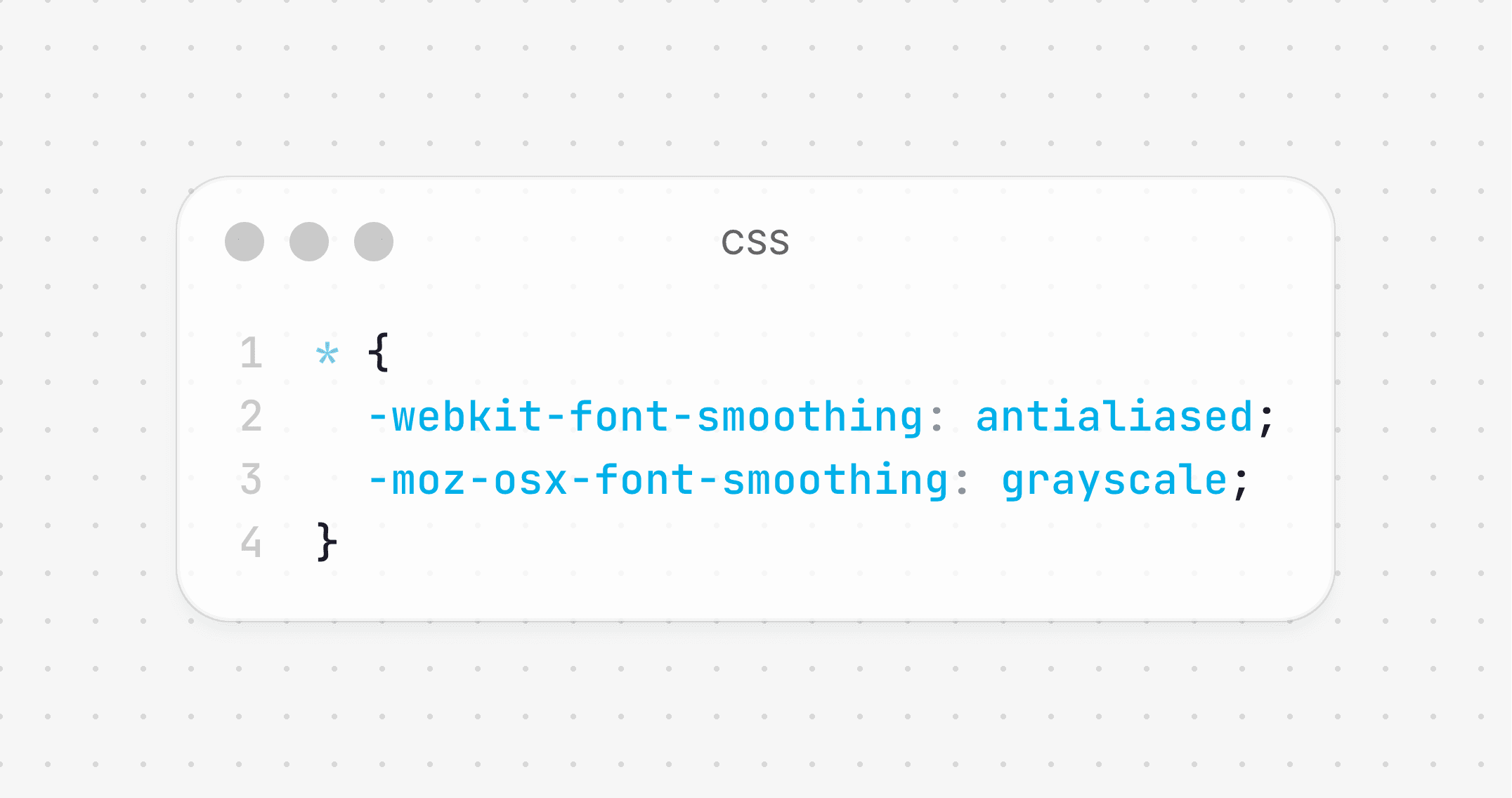
Ever wondered why your text appears bolder in the browsers than it does in Figma?
Browsers render text differently by default, often making it appear heavier, blurry or muddier than intended.
You can fix this with just 4 CSS lines:
Here are some rules I use to keep my code clean and readable:
- Use descriptive names
- Avoid magic numbers
- Prefer early returns
- Prefer objects over long parameters
- Avoid mutating variables
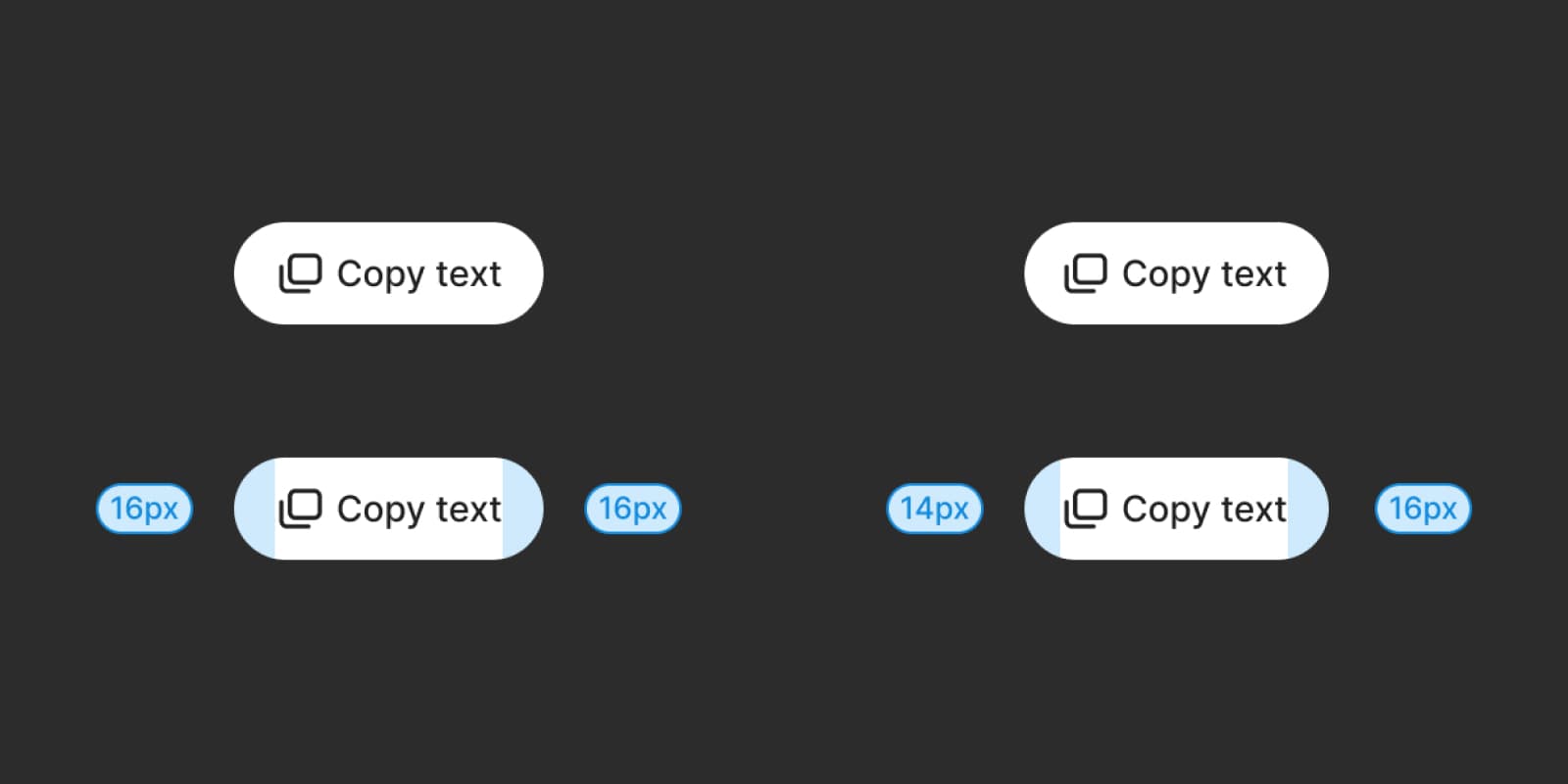
Sometimes geometric alignment just looks off. When that happens, try optical alignment instead.
For example, buttons with both text and icons often need slightly smaller padding on the icon side to look balanced.
This approach works well because our eyes perceive visual weight differently depending on the shape and density of content.
Tooltips should describe an element that performs an action separate from opening the tooltip itself. If your tooltip is attached to an "info icon" button whose only purpose is to show the tooltip, opt for Popover and add the openOnHover prop instead.